


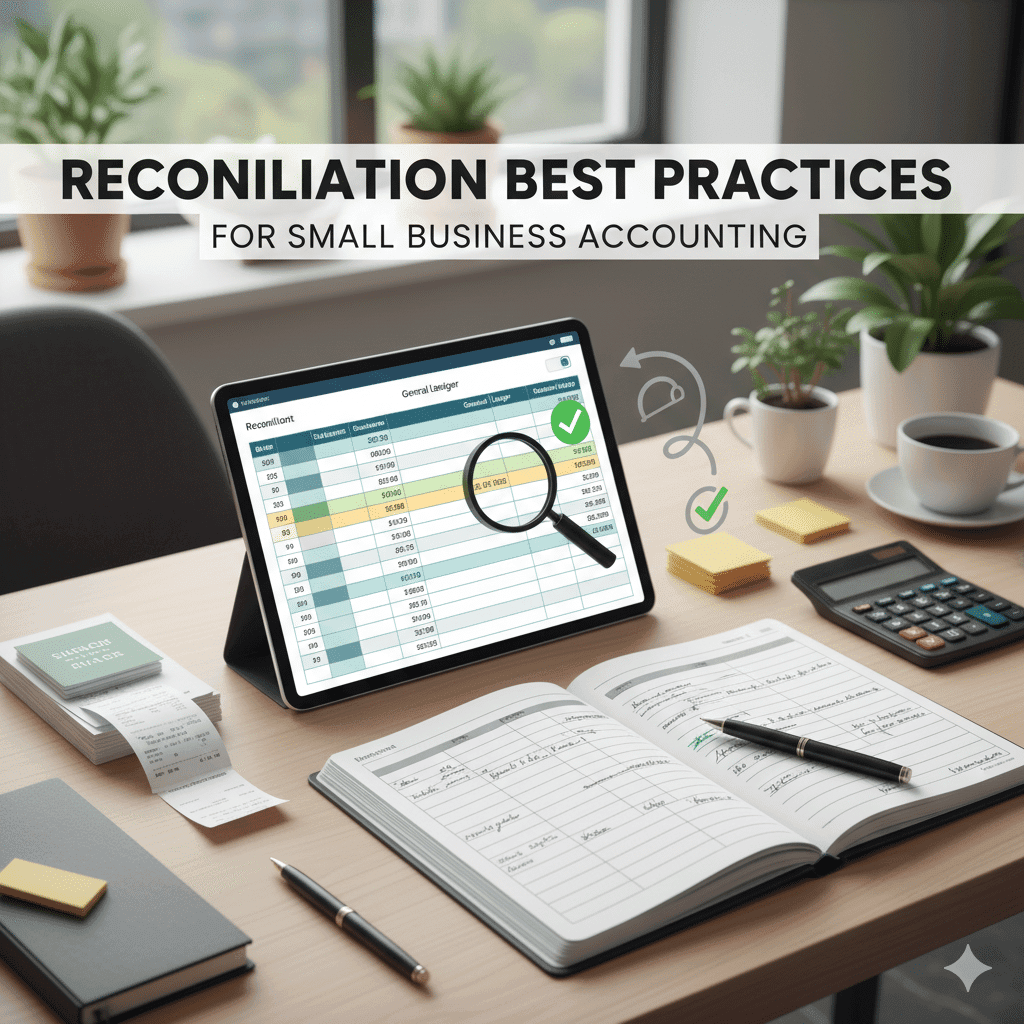
Reconciliation Best Practices for Small Business Accounting
Reconciliation best practices for small business accounting help owners maintain accurate records and prevent financial errors. Implementing effective account reconciliation methods ensures smooth bookkeeping, reduces discrepancies, and supports better financial decision-making.
What is Account Reconciliation?
Account reconciliation means checking that two sets of records match. Usually, this means comparing a company’s books with its bank statements. You look at each transaction to see if it lines up. If you find differences, you fix them.
The reconciliation process works like this:
Gather Documents
Get bank statements, receipts, and invoices.
Transaction Matching
Check your recorded transactions against the bank’s.
Adjusting Entries
Fix things like checks not cleared or deposits still pending.
Doing manual reconciliation takes time. But it’s key to keeping accurate financial records. Keeping documented reconciliations helps track what was done.
Why is Account Reconciliation Important for Small Businesses?
Improved Accuracy and Financial Insights
When you do account reconciliation often, your financial reports get more accurate. You catch mistakes before they cause bigger problems. This helps when you review your financial statements and make decisions based on real info.
Better Cash Flow Management
Good cash flow management needs clean accounts. Regular reconciliation helps you better manage cash flow so you always know how much money is available. That way, paying bills or planning growth gets easier.
Ensuring Tax Compliance & CRA Compliance
Staying on top of your accounts helps you follow tax rules from the Canada Revenue Agency (CRA). When records are right, audits become less stressful. It also lowers the chance of fines due to wrong income or expense reports.
Reducing Errors and Preventing Fraud
Small businesses face risks like fraud and data errors. Reconciliation lets you spot these problems early. That can save money lost from fraud or simple mistakes in entering data.
Cost of Poor Account Reconciliation
Not keeping up with account reconciliation can cost a lot:
- Financial Impact of Poor Reconciliation: Wrong records can cause big financial loss because money goes untracked or earnings are misstated.
- Cash Flow Issues: Without clear accounts, cash flow management fails and bills might go unpaid.
- Tax Compliance Risks: Bad records raise tax compliance risks when an audit happens.
- Increased Workload: Fixing long-standing errors takes more work later. Staff get overloaded during busy times like year-end closings.
Small business owners who make account reconciliation a regular habit avoid these problems. It also keeps their finances more reliable and easier to handle.
Types of Account Reconciliation
Account reconciliation helps you keep your financial records right and complete. Different types focus on certain accounts or ledgers to keep your finances in check.
Bank Reconciliation
You compare your bank statements with your own records. This finds things like checks not cleared or deposits that haven’t shown up yet. It spots errors, fraud, or timing gaps.
Balance Sheet Reconciliation
This checks all balance sheet accounts like assets, liabilities, and equity. It matches details from sub-ledgers with the general ledger.
General Ledger Reconciliation
It makes sure transactions in the general ledger line up with invoices, receipts, and other documents.
Accounts Receivable (A/R) Reconciliation
This matches payments from customers to unpaid invoices. It makes sure revenue and cash flow are tracked right.
Accounts Payable (A/P) Reconciliation
You verify vendor bills and payments. This prevents paying twice or missing bills.
Credit Card Reconciliation
You compare credit card statements with expense reports and accounting records. This keeps business spending accurate.
Loan Account Reconciliation
It reviews loan balances, interest charges, payments, and fees. The goal is to manage liabilities precisely.
Each type works on a different part of your books but shares one goal: clean records for solid financial reporting.
Account Reconciliation Methods
Good account reconciliation uses clear methods to make the process smooth and fix mistakes fast. Here are two main methods:
Transaction Matching
You check transactions inside your books against outside documents like bank statements or bills. Each item is matched by date, amount, description, or a reference number. Automation tools can help spot unmatched transactions quickly for you to review.
Discrepancy Resolution
When things don’t match, this method helps figure out why. It covers mistakes from timing differences, typos, or bank errors. The steps usually are:
- See if it’s a timing issue (like a check not cleared yet).
- Check if there’s an error in either record.
- Fix the problem by making journal entries.
- Write down explanations for audits.
Using these steps repeatedly cuts down errors and makes your data more trustworthy.
The Documentation Method
Keeping good records matters during reconciliation. The documentation method focuses on logging everything clearly:
- Keep detailed notes of which transactions matched.
- Write reasons for any changes made.
- Save copies of source documents like bank statements or invoices. Store them digitally if you can.
Documented reconciliations show proof during audits that you followed proper controls. This helps meet rules from tax offices or auditors.
The Analytics Method
Financial analytics helps by showing patterns in your data:
- Spot unusual activity that might mean fraud or repeated errors.
- Look at aging reports for receivables and payables to decide what to chase first.
- Use dashboards that track unreconciled items over time to plan work better.
Using analytics turns regular reconciliation into a tool that helps manage finance smarter for small businesses.
Knowing these types and methods of account reconciliation—and sticking to them—builds a strong base for clean bookkeeping that small businesses need. For help setting up these processes with modern tools, reach out to Gondaliya CPA anytime!
Performing Account Reconciliation: A Step-by-Step Guide
Account reconciliation checks if your business records match your bank statements and other financial papers. This guide will walk you through the reconciliation process. It helps keep your books accurate and avoid mistakes in your accounting.
The Account Reconciliation Process
The reconciliation workflow means comparing what’s in your ledger with bank or credit card statements. Bank statement reconciliation makes sure deposits, withdrawals, fees, and interest all add up right. Ledger balancing checks that every account’s final balance matches its records. Doing these helps find problems early so your financial info stays clear.
Here’s what it looks like:
- Compare ledger entries to external statements
- Confirm deposits and withdrawals match
- Check that balances line up across accounts
Step 1: Gathering Your Records
First, collect all documents for the time you want to check. These include bank statements, credit card bills, loan info, and sub-ledgers like accounts receivable or payable. Don’t forget any internal logs.
Stick to documented reconciliations by following the same record reconciliation procedures each time. Keep updated records so matching and fixing issues is easier later.
Step 2: Importing Transactions
Importing transactions into your accounting software saves time during reconciliation.
Methods for Importing Transactions
- Bank Feeds: Many cloud accounting tools pull transaction data automatically from your banks in real time.
- OFX Import: If direct feeds aren’t available, you can upload transaction files downloaded from banks manually using OFX import.
Best Practices for Importing Transactions
- Use trusted financial software solutions like QuickBooks Online or Xero with automated bank feeds turned on. Cloud accounting tools cut down manual errors and make data ready faster for review.
Step 3: Reviewing and Categorizing Entries
After importing or typing in transactions, review each one carefully before putting it in a category.
The Importance of Proper Categorization
Properly categorizing transactions makes reports accurate. Verified transactions help with tax prep by matching entries to correct accounts like sales revenue or expenses.
Tips for Efficient Review
Focus first on reviewed transactions that look unusual or don’t have matches yet. This stops you from missing problems early on.
Step 4: Matching Transactions
Transaction matching links items recorded inside your books to those on outside statements. This confirms both sides agree.
Understanding the Matching Process
Matching strategies use either manual checking — looking at items one by one — or automated matching with software that pairs similar amounts within certain dates fast.
Matching Strategies
- Manual Matching: Works well when payments are partial or need adjustments.
- Automated Matching: Best for large volumes; flags only mismatches needing human review.
Step 5: Resolving Discrepancies
Discrepancy resolution fixes differences found during matching:
- Timing differences happen when payments clear after a statement date.
- Banks may make errors; report those fast if you spot them.
- Data entry mistakes can cause mismatches needing fixing in the system.
Check flagged transactions closely before making any adjusted entries so accuracy stays solid.
Step 6: Finalizing Reconciliation
- Save documented reconciliations safely as proof you finished.
- Have another team member do a supervisory review—even small teams benefit.
- Use a supervisor approval process so someone signs off before closing periods officially.
Good practices here include keeping detailed notes while making workflows secure and smooth using tech tools.
This clear plan helps small businesses do account reconciliation without headaches while keeping their books straight and lowering risk of errors or fraud.
Account Reconciliation Best Practices
Keeping your financial records accurate is a must. Good account reconciliation helps catch mistakes and keeps your business on track. When you follow smart reconciliation best practices, you stay ready for audits and avoid costly errors.
Reconcile Regularly (Monthly Standard, Weekly/Daily for High Volume)
Reconciliation usually happens monthly. That fits most business cycles and keeps your books ready for audits. If your business moves a lot of money—like a store or online shop—you might need to check weekly or even daily.
Doing it often helps spot errors fast, like bank mistakes or wrong entries. It also builds good habits so tax time won’t feel overwhelming.
- Monthly reconciliation fits most businesses.
- Weekly or daily works for busy accounts.
- Regular checks catch problems early.
- A set schedule reduces stress later.
Leverage Accounting Software
Accounting software makes reconciliation easier and faster. Programs like QuickBooks Online and Xero pull in bank transactions automatically. They match them up with your records, cutting down on manual work.
Cloud tools let your whole team see updates right away from anywhere. Automation cuts mistakes and frees staff to focus on bigger tasks instead of routine matching.
- Automatic bank feeds speed things up.
- Intelligent matching cuts human error.
- Cloud access shares info across teams.
- Automation saves time and effort.
Foster Company-Wide Understanding
Reconciliation works best when everyone knows their part. Ongoing training helps employees spot common mistakes, like double entries or missed deposits.
Having supervisors review work adds another check to catch errors before they go final. When everyone pitches in, the whole finance process stays solid and secure.
- Train staff on accounting steps regularly.
- Spot common errors early on.
- Supervisors verify reconciliations.
- Shared responsibility improves accuracy.
Segregation of Duties or Supervisory Review
Good controls keep fraud away during reconciliation. Ideally, different people enter transactions and review them. For example, one person logs payments; another checks the reconciliations.
If your team is small, supervisors should review all reconciled accounts carefully. Don’t force matches where things don’t add up—that hides problems instead of fixing them.
- Separate duties to prevent fraud.
- Different people handle recording and checking.
- Supervisors must approve reconciliations in small teams.
- Avoid forcing mismatched records together.
Standardized Procedures
Having clear steps for reconciliation keeps things smooth:
- Follow a simple reconciliation workflow from start to finish.
- Use a reconciliation checklist to cover all tasks.
- Set firm reconciliation policies about timing and who’s responsible.
This avoids confusion and speeds up the whole process by making it clear what to do next.
Consistent Record Keeping
Good record keeping backs up every reconciliation:
- Save bank statements, invoices, receipts carefully.
- Match transactions exactly with source documents.
- Write down completed reconciliations fully for later review.
Having well-kept docs makes audits easier and solves disputes faster when numbers don’t line up.
Regular Reviews
Checking reconciled accounts regularly keeps finances honest:
- Review financial statements often to confirm accuracy.
- Keep records ready for external audits anytime.
- Require supervisor sign-offs after each cycle finishes.
These steps make sure your business money stays transparent and reliable for lenders or investors watching closely.
Key Reconciling Items
Knowing key reconciling items helps explain why books and banks don’t always match right away.
Understanding Outstanding Checks
Outstanding checks are payments recorded in your books but not cleared by the bank yet. This matters for balance sheet reconciliation because these amounts reduce cash in your books but still haven’t left your account in reality.
Managing outstanding checks well helps with cash flow since money looks spent but might still be available until the bank processes the payment.
Handling Deposits in Transit
Deposits in transit happen when you record money received but it doesn’t show on the latest bank statement yet due to processing delays.
Using features like automated bank transaction imports lets you spot deposits in transit easily versus real banking errors needing action.
Recognizing deposits in transit stops false worries about missing funds caused by timing gaps between bookkeeping entries and actual bank activity.
Recording NSF Fees and Interest Income/Expense
NSF fees happen when customer payments bounce because of insufficient funds. You need to adjust accounts receivable plus fee income right away to reflect losses accurately.
Interest income earned on positive balances—and interest expense paid on loans—must also get recorded correctly through proper ledger entries. This keeps track of financing costs or earnings that affect net profit clearly.
Following these easy-to-stick-to best practices will help you keep your account reconciliations accurate:
- Set regular schedules based on how busy you are.
- Use automation tools to speed things up.
- Keep strong controls with clear roles and reviews.
- Stick to set procedures every time.
- Keep good records documented fully.
- Have supervisors check regularly.
This way, you avoid costly mistakes while making your financial reports more trustworthy. That builds a solid base so you can make smart decisions about your business’s money today.
Common Errors in Account Reconciliation
Account reconciliation keeps your financial records straight. But some common accounting errors can mess things up.
- Accounting errors like misstatements
- Data entry mistakes causing wrong amounts
- Bookkeeping errors that throw off balances
- Duplicate transactions that double-count payments
- Missing transactions not recorded on time
- Transaction discrepancies from timing gaps
- Flagged transactions that need review
Knowing these errors helps small businesses keep clean records and make better decisions.
Common Challenges in Account Reconciliation
Small businesses run into many problems when they try to reconcile accounts. These challenges slow things down and cause more errors.
- Inaccurate data imports from bank feeds
- Timing differences between bank and books
- Duplicate transactions or missing entries
- Misclassifying expenses or income
You need to check carefully and fix these issues every month to keep accounts balanced. Doing this often cuts down surprises during audits and helps your business stay healthy financially.
The Role of Technology & Efficiency
Technology can help make account reconciliation faster and cut down mistakes. Programs like QuickBooks Online and Xero offer tools made for small businesses.
- Bank feeds bring transaction data straight from your bank into the software automatically.
- Automated matching then checks these imports against your ledger and flags any mismatches right away.
- Automation handles boring, repetitive tasks so you don’t have to enter data by hand all the time. This reduces bookkeeping errors like duplicates or missed entries.
Using features in reconciliation software saves you time and helps keep your records accurate. It also prepares you better for audits and strengthens controls inside your business.
Tech tools include:
- QuickBooks Online and Xero platforms
- Bank feeds importing transaction data automatically
- Automated matching that compares bank data to ledgers
- Automation that cuts manual data entry work
- Features that catch bookkeeping errors fast
Bringing tech into reconciliation keeps things simple and accurate for small businesses.
Account Reconciliation FAQs
What is the best reconciliation frequency for small businesses?
Most small businesses do reconciliation once a month. If your business has lots of transactions, you might want to check weekly or even daily.
How do bank feeds and OFX import simplify account reconciliation?
Bank feeds pull your bank transactions into your accounting software automatically. OFX import lets you upload many transactions at once, which saves time.
Can accounting software fully automate reconciliation?
Software can match transactions automatically, but manual review is still needed to catch mistakes.
What causes discrepancies during reconciliation?
Timing issues, bank errors, typos, or unrecorded fees cause discrepancies.
Why is reconciling all balance sheet accounts important?
It ensures trial balance accuracy and reliable financial reports.
What are intercompany reconciliations?
Checking transactions between related companies to avoid duplicate entries or missing amounts.
What risks come from not reconciling accounts regularly?
Fraud may go unnoticed, financial reports can be wrong, and cash flow problems may arise.
How Gondaliya CPA Can Help You
Gondaliya CPA works as a trusted CPA firm. We help set up systems that make account reconciliation smoother and keep you compliant.
Setting Up Robust Systems
- Use accounting systems linked with bank feeds.
- Add strong internal controls.
- Split duties and implement documented reviews.
Providing Training and Ongoing Oversight
- Offer reconciliation training for staff.
- Provide supervisory oversight.
- Conduct ongoing sessions to keep skills sharp.
Our Role as Your Business Accountant and Tax Accountant
- Handle daily bookkeeping.
- Align books with tax rules.
- Ensure deductions are claimed properly.
Expertise of Our Accounting Firm and Corporate Tax Experts
- Manage intercompany reconciliations.
- Keep up with tax compliance rules.
- Prepare you for audits anytime.
Why Choose Gondaliya CPA as Your CPA Firm
- Guard your financial integrity.
- Build fraud prevention strategies.
- Prepare for audits with clear and accurate records.
Key Questions Answered
What is the ideal reconciliation frequency for small businesses?
Monthly for most; weekly or daily for high-transaction businesses.
How does automation improve efficiency?
Reduces errors and speeds up transaction matching.
Why is segregation of duties important?
Prevents fraud and ensures checks and balances.
How does interest income reconciliation affect reporting?
Ensures correct income reporting and accurate financial statements.
What role does trial balance reconciliation play?
Cleans ledger balances and improves audit readiness.
How can software help with bank fee reconciliation?
Flags bank charges automatically to prevent oversight.
What is the benefit of vendor reconciliation?
Prevents payment disputes and maintains healthy vendor relationships.
How does a reconciliation checklist improve bookkeeping?
Standardizes tasks, reduces errors, and ensures consistency.
What are common causes of transaction posting errors?
Manual entry mistakes, missing transactions, misclassified items.
Why is supervisory oversight critical?
Provides an audit trail and maintains financial integrity.
Enhancing Small Business Financial Health Through Account Reconciliation
- Implement accounting automation to save time and cut errors.
- Use automated bank feeds for real-time updates.
- Apply financial analytics to spot flagged transactions.
- Maintain consistent bookkeeping.
- Enforce internal audit controls.
- Provide ongoing reconciliation training.
- Use cloud-based accounting software.
- Establish a documented supervisory review process.
- Utilize a bank reconciliation dashboard.
- Follow a strict reconciliation workflow.
Key Strategies for Fraud Prevention and Compliance
- Separate duties among finance roles.
- Conduct regular financial statement reviews.
- Record detailed documentation at each step.
- Leverage CPA services for oversight.
- Implement preventative controls.
- Use reliable accounting software features.
- Maintain document retention policies.
- Train staff to spot bookkeeping errors early.
Best Practices to Optimize Financial Reporting Accuracy
- Perform sub-ledger reconciliation regularly.
- Match vendor invoices thoroughly.
- Investigate financial discrepancies immediately.
- Adjust reconciliations promptly for fees.
- Keep updated records for audit trail verification.
How Gondaliya CPA Supports Your Small Business Accounting Needs
Gondaliya CPA integrates financial process automation, ensures corporate tax compliance, and provides expert guidance from seasoned corporate tax experts within our CPA firm structure.

Sharad Gondaliya is a CPA Canada & CPA USA with 15 Years+ experience of Accounting, Tax, Payroll of Corporate Small Businesses as Tax Accountant. He is a CPA Ontario member (61040184) and holds US CPA licences in Washington and Montana and is well known among corporate small businesses for tax planning, efficient tax solutions, and affordable CPA services. Sharad is the Principal (Director) of Gondaliya CPA – Affordable CPA Firm in Canada. Licenses: CPA Ontario: 61040184 | CPA USA (MT): PAC-CPAP-LIC-033176 | CPA USA (WA): 57629 | CPA Firm License: 61330051 View Full Author Bio