



Xero Setup & Support in Toronto & GTA
Affordable Xero setup, training, and ongoing support for businesses across Ontario.

1300+
5-Star Google Reviews
Affordable Xero Setup & Support Services
Setting up Xero correctly from the start is essential for accurate bookkeeping, financial reporting, and tax compliance. Many businesses struggle with incorrect account setups, poor integrations, and messy data migration, which leads to reporting errors and wasted time.
At Gondaliya CPA, we provide affordable Xero setup and ongoing support services tailored to your business needs. Whether you’re switching from another accounting system or starting fresh, we ensure your Xero account is organized, compliant, and optimized for growth.
Fully Licensed CPA Ontario
1300+ ★★★★★ Google Reviews
30-Day Money-Back Guarantee
60-Day Fees-Matching Policy
Xero Setup & Support Services
- AFFORDABLE + Fully Licensed CPA Firm
- Business and Corporate Tax Expert
- Small & Medium Business Expert
- Accounting, bookkeeping, and tax filing
- Certified CPA
- 1300+ 5-stars Google reviews
- 30-Day Money-Back Guarantee
- 60-Day Fees Matching Policy
Why Proper Xero Setup Matters
A properly configured Xero system helps you track income, manage expenses, monitor cash flow, and prepare taxes efficiently. Without correct setup, businesses often face reporting inaccuracies, missed deductions, and compliance risks.
Professional setup ensures your chart of accounts, tax settings, integrations, and reporting structure align with your business operations. This saves time, reduces errors, and provides reliable financial insights.
Our Xero Setup & Support Services
Complete Xero Account Setup
We configure chart of accounts, tax settings, and reporting structures.
Data Migration & Cleanup
Secure transfer of data from previous systems with error correction.
Bank & App Integrations
Connect bank feeds, payment apps, payroll, and POS systems.
Custom Financial Reporting
Tailored reports to track business performance and cash flow.
Training & User Support
Hands-on guidance so your team can confidently use Xero.
Ongoing Maintenance & Troubleshooting
Continuous support for updates, fixes, and optimizations.
Xero Setup & Support in Ontario
Xero setup and support for Ontario businesses — your Xero file configured, migrated, and tuned for HST and reporting by a certified Xero advisor, so your books run cleanly from day one, at AFFORDABLE flat-fee pricing with no surprise fees.
Complete Xero Account Setup
We configure chart of accounts, tax settings, and reporting structures. A Xero file set up right needs almost no correction later. We configure your Xero organisation from the ground up, so it fits your business and your year-end from the first transaction.
- We set up your Xero organisation with the correct financial year-end and tax settings, so the file matches your CRA accounts before any transaction is entered.
- We build a Xero chart of accounts mapped to GIFI codes with the right account types, so your books flow straight into the year-end T2 and report correctly.
- We configure Xero tracking categories so the file reports by division, location, or project without a separate set of books.
- We select the right Xero plan for your needs, so you are not paying for features a smaller plan would cover or missing ones your business requires.
- We configure the organisation properly from day one at a cost-effective flat fee with transparent pricing.
Data Migration & Cleanup
Secure transfer of data from previous systems with error correction. Moving to Xero is the moment to leave old errors behind. We migrate your history into Xero and clean it as we go, so the new file is accurate rather than a copy of the previous system's mess.
- We migrate your data into Xero from QuickBooks, spreadsheets, or other software, setting a clean conversion date so the file starts from a verified opening balance.
- We reconcile the migrated conversion balances to your last filed year, confirming the migration ties out before you rely on the Xero numbers.
- We correct duplicate and miscategorized entries carried over in the migration, so the new Xero file is accurate from day one.
- We rebuild the contacts and inventory item lists cleanly in Xero, so they are usable and free of duplicates.
- We deliver a clean migrated file, affordably.
Bank & App Integrations
Connect bank feeds, payment apps, payroll, and POS systems. Xero's strength is its connected ecosystem. We link your bank feeds and the apps your business runs on, so data flows into Xero automatically and your books stay current with little manual entry.
- We connect your bank and credit card accounts to the Xero bank feed, so transactions import automatically each day rather than being entered by hand.
- We build Xero bank rules that auto-categorize recurring transactions, cutting manual coding while keeping the categorization consistent.
- We set up Hubdoc, which is included with Xero, so receipts and bills are captured and published into the file automatically with their documentation attached.
- We connect the apps your business uses — Stripe, payroll, and POS — through the Xero App Store, so sales and payments flow into the file correctly.
- We build the integrated data flow at an affordable flat fee.
Custom Financial Reporting
Tailored reports to track business performance and cash flow. Xero's reporting is powerful once it is built for you. We configure the reports and layouts your business needs, so the numbers you rely on each month generate themselves from the live file.
- We build custom report templates in Xero's report editor, so the management reports you need each month generate from the live data without manual assembly.
- We set up reporting by tracking category, so each division, location, or project shows its own result within the one file.
- We configure the Xero HST return report so your filing can be prepared directly from the file each period.
- We set up Xero's short-term cash flow and business snapshot tools, so your cash position and performance are visible at a glance.
- We build the reporting at a cost-effective flat fee.
Training & User Support
Hands-on guidance so your team can confidently use Xero. A Xero file is only as good as the people using it. We train your team on the daily workflows and stay available as your advisor, so questions are answered and the file stays healthy.
- We train you and your team on the Xero workflows you use daily — bank reconciliation, invoicing, and bill entry — recording the sessions so new staff can learn later.
- We set up the right Xero user roles and permissions, so each person has the access they need and no more, giving the file basic internal control.
- We teach your team Xero's bank reconciliation screen properly, since confident daily reconciliation is what keeps the file accurate.
- We provide hands-on guidance over screen-share, so a workflow question is answered in real time rather than left unresolved.
- We deliver the training affordably.
Ongoing Maintenance & Troubleshooting
Continuous support for updates, fixes, and optimizations. A Xero file needs occasional tuning to stay healthy. We provide ongoing advisor support, so feed errors, app issues, and coding drift are fixed quickly and the file keeps running cleanly year-round.
- We provide ongoing Xero advisor support, so a feed error, a duplicate, or a coding question is resolved by message or a quick screen-share rather than left to build up.
- We run a periodic Xero file review, catching reconciliation gaps and coding drift before they reach year-end.
- We fix broken bank feeds and app connections when they drop, so the automated flow into the file is restored quickly.
- We keep your connected apps and Xero settings optimized as your business changes, so the file keeps fitting how you work.
- We provide the maintenance and troubleshooting with no hourly billing.
At Gondaliya CPA, our tax accountants make Xero straightforward and stress-free for you.
Business Assessment
We understand your business needs, current records, and accounting workflows.
Setup & Configuration
We configure accounts, import data, and connect integrations.
Data Migration & Testing
We import data, reconcile balances, and verify accuracy.
Training & Ongoing Support
We train your team and provide continued support as your business grows.
Why Choose Gondaliya CPA for Xero Setup & Support

Affordable Pricing
Transparent and budget-friendly packages for small businesses.

CRA-Compliant Setup
Your system is configured to support accurate tax filings.

Industry Experience
We understand accounting needs across multiple industries.

Ongoing Expert Support
Official Partner








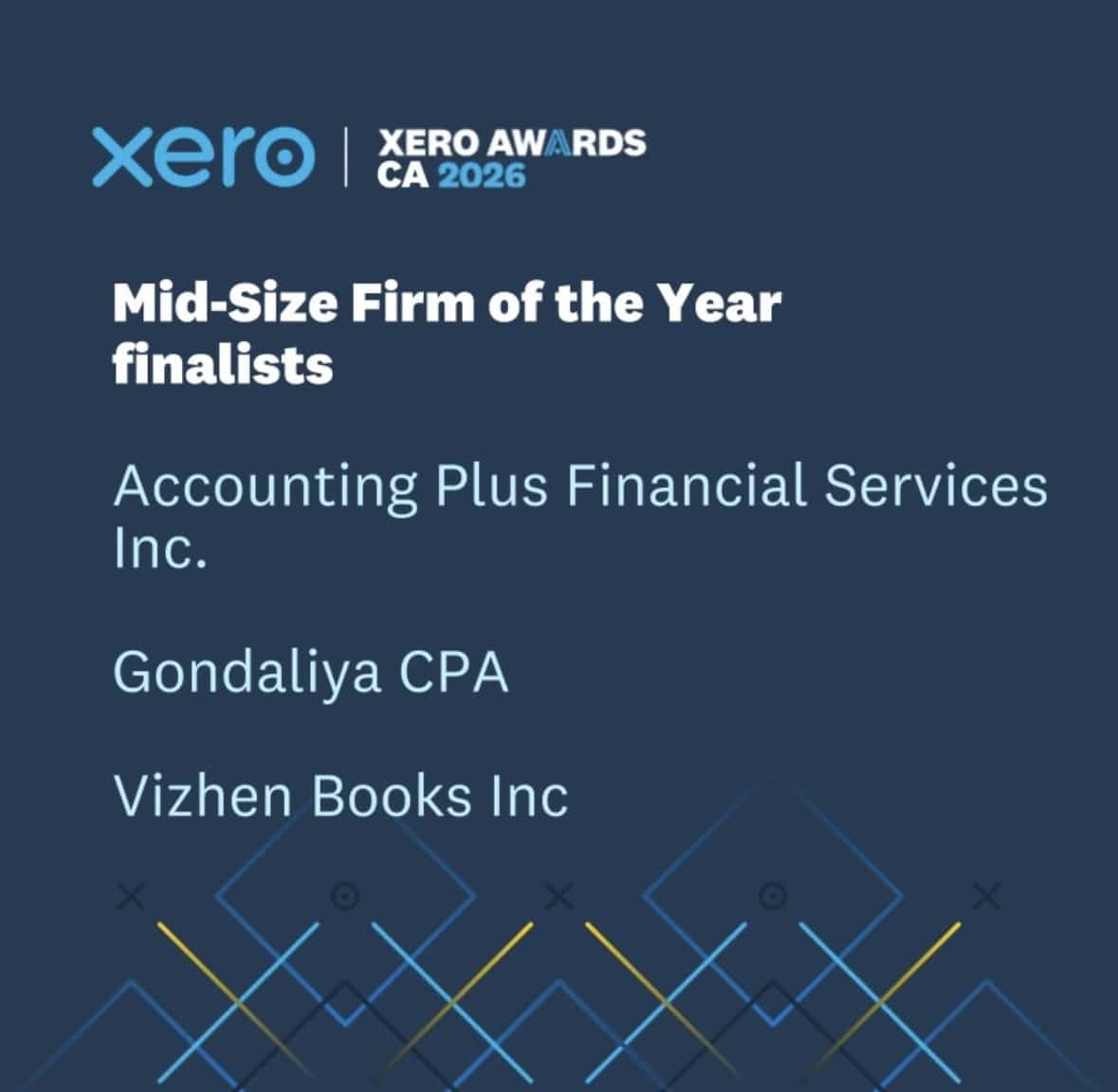
Xero Awards Canada 2026 Finalist
Proud Finalist – Mid-Size Firm of the Year
Gondaliya CPA has been recognized as a finalist for the Xero Awards Canada 2026 in the Mid-Size Firm of the Year category, reflecting our commitment to innovation, cloud accounting excellence, and exceptional client service.
Transparent Pricing – No Hidden Fees
Xero Setup & Support Pricing
We believe in clear, upfront pricing so you know exactly what to expect.
Xero Setup – Starting from $199
Ready for affordable Xero Setup & Support?
Ontario Coverage — We Serve Businesses Across Ontario
Gondaliya CPA proudly supports businesses using Xero across Toronto and the greater Toronto area (GTA), including Mississauga, Brampton, North York, Etobicoke, Scarborough, Vaughan, Markham, Richmond Hill, and Ottawa, as well as incorporated clients throughout Ontario. Whether you operate locally or remotely, our virtual support makes Xero setup simple and convenient. Xero setup and support services are available in-person at our Toronto office and virtually for businesses across Ontario and Canada.
Toronto (ON)
55 Queen St E Ste 1205, Toronto, ON M5C 1R6, Canada
+1 (647) 212-9559
9:00 AM – 8:30 PM (Mon – Sun)
Mississauga (ON)
5373 Bullrush Dr, Mississauga, ON, Canada
+1 (647) 212-9559
9:00 AM – 8:30 PM (Mon – Sun)
Brampton (ON)
4 Starhill Crescent, Brampton, ON L6R 2P9, Canada
+1 (647) 212-9559
9:00 AM – 8:30 PM (Mon – Sun)
Scarborough (ON)
24 Clementine Square, Scarborough, ON M1G 2V7, Canada
+1 (647) 212-9559
9:00 AM – 8:30 PM (Mon – Sun)
Vaughan (ON)
19 Cabinet Crescent, Woodbridge, ON L4L 6H9, Canada
+1 (647) 212-9559
9:00 AM – 8:30 PM (Mon – Sun)
Oshawa (ON)
210 Durham St, Oshawa, ON L1J 5R3, Canada
+1 (647) 212-9559
9:00 AM – 8:30 PM (Mon – Sun)
Ottawa (ON)
2090 Neepawa Ave a314, Ottawa, ON K2A 3L6, Canada
+1 (647) 212-9559
9:00 AM – 8:30 PM (Mon – Sun)
Etobicoke (ON)
60 Stevenson Rd #1601, Etobicoke, ON M9V 2B4, Canada
+1 (647) 212-9559
9:00 AM – 8:30 PM (Mon – Sun)
Hamilton (ON)
70 Starling Dr, Hamilton, ON L9A 0C5, Canada
+1 (647) 212-9559
9:00 AM – 8:30 PM (Mon – Sun)
Guelph (ON)
1155 Gordon St, Guelph, ON N1L 1S8, Canada
+1 (647) 212-9559
9:00 AM – 8:30 PM (Mon – Sun)
Windsor (ON)
4387 Guppy Ct, Windsor, ON N9G 2N8, Canada
+1 (647) 212-9559
9:00 AM – 8:30 PM (Mon – Sun)
North York (ON)
150 Graydon Hall Dr #912, North York, ON M3A 3B2, Canada
+1 (647) 212-9559
9:00 AM – 8:30 PM (Mon – Sun)
Industries We Serve With Our Xero Services
Startups
Specialized startup tax & accounting
Healthcare
Specialized healthcare tax & accounting
Consultants
Specialized consulting tax & accounting
Small Businesses
Specialized small business tax & accounting
Restaurants
Specialized restaurant tax & accounting
Franchises
Specialized franchise tax & accounting
Self-Employed
Specialized self-employed tax & accounting
Manufacturing
Specialized manufacturing tax & accounting
Grocery Stores
Specialized grocery tax & accounting
Import & Export
Specialized import/export tax & accounting
FAQs – Xero Setup & Support
Do I need professional help to set up Xero?
While Xero is user-friendly, professional setup ensures correct tax settings, account structures, and integrations. This prevents reporting errors and saves time in the long run.
Can you migrate data from my existing accounting software?
Yes, we safely transfer data from QuickBooks, spreadsheets, or other accounting systems while ensuring accuracy and completeness.
Can you integrate Xero with other business tools?
Yes, we connect Xero with bank feeds, payment processors, payroll systems, and business applications.
Will you help set up GST/HST tracking?
Do you provide training after setup?
Yes. We offer hands-on training sessions to help you understand Xero features. You’ll learn how to record transactions, generate reports, and manage your books confidently.
Can Xero integrate with my bank accounts?
Yes. We connect bank and credit card feeds to automate transaction imports. This reduces manual entry and improves bookkeeping accuracy.
Do you provide ongoing Xero support?
How long does Xero setup take?
Most setups are completed within a few days depending on data complexity. Migration and cleanup projects may take longer if historical records need review.
Is Xero suitable for small businesses?
Yes, Xero is ideal for small and growing businesses due to its flexibility and automation features.
How do I schedule a consultation?
You can schedule a free consultation call directly through our website, or contact us via our Contact Us page, and our team will reach out to discuss your business needs.
Meet Your Xero Setup Experts


Google Reviews
See all on Google
Google Reviews
See all on Google10 Smart Xero Setup Strategies That Save You Money
Design a Tax-Ready Chart of Accounts
Your Xero setup must include a chart of accounts that maps directly to GIFI codes on your T2 corporate tax return. The default Xero chart is too generic and creates misclassified expenses your CPA must reclassify at year-end. A properly structured Xero chart of accounts eliminates rework and ensures every deduction flows correctly to CRA schedules.
Configure GST/HST Tax Rates Correctly
Set up GST/HST tax rates in Xero during initial configuration so every sales and purchase transaction calculates the correct HST automatically. Incorrect Xero tax setup causes under-reported or over-reported HST on returns filed via NETFILE. CRA charges 1% per month in late-filing penalties on net HST owing — proper Xero setup prevents this entirely.
Connect Bank Feeds During Xero Setup
Link every business bank account and credit card to Xero immediately during setup so transactions import automatically each day. Automated Xero bank feeds eliminate manual data entry errors and keep your books current in real time. Businesses that delay connecting feeds in Xero fall behind on bookkeeping within the first month of going live.
Build Bank Rules for Recurring Expenses
Create bank rules in Xero during setup so rent, insurance, subscriptions, and regular vendor payments auto-categorize to the correct account every time they post. Xero bank rules save hours of manual categorization monthly and prevent misclassified expenses that trigger CRA matching errors between your financial statements and filed corporate tax returns.
Integrate Payroll With Xero
Connect your payroll system directly to Xero during setup so wages, CPP, EI, and income tax deductions sync automatically to the general ledger. Disconnected payroll in Xero creates discrepancies with CRA's PD7A statements. Repeat late payroll remittances trigger 10% penalties plus compound interest — integrated Xero payroll eliminates these mismatches from the start.
Enable Hubdoc for Receipt Capture
Activate Hubdoc within your Xero setup so every receipt and vendor invoice attaches directly to its transaction automatically. CRA denies deductions when supporting documentation is missing or incomplete. Xero with Hubdoc integration creates a complete audit-ready receipt trail that protects every dollar claimed on your corporate tax return without manual filing.
Migrate Opening Balances Accurately
When setting up Xero from spreadsheets or another platform, your opening balances must match the last filed T2 corporate tax return exactly. Incorrect Xero data migration creates retained earnings mismatches that compound across every future period. We verify every opening balance in Xero against CRA records before your team begins entering transactions.
Set Up Multi-Currency If Needed
If your business invoices or pays vendors in USD or other currencies, enable multi-currency in Xero during initial setup. Xero tracks foreign exchange gains and losses automatically, which must be reported on your T2 corporate tax return. Adding multi-currency to Xero after months of single-currency entries requires costly manual corrections to historical transactions.
Configure Custom Report Templates
During Xero setup, build monthly profit and loss, balance sheet, and cash flow report templates that generate automatically. Pre-configured Xero reports give you real-time profitability visibility and let your CPA spot mid-year tax planning opportunities — like CCA purchases on Schedule 8 or bonus accruals — before your fiscal year-end passes.
Grant Your CPA Advisor Access in Xero
During Xero setup, invite your CPA as an advisor with direct access to review your books in real time. This Xero collaboration eliminates file exports, email chains, and version control delays that slow your T2 corporate tax return. Your CPA works inside Xero to identify deductions, reconcile accounts, and close your year-end faster.
Browse Our Affordable CPA Services
Accounting & Bookkeeping
- Accounting & Bookkeeping
- Bookkeeping Services
- Bookkeeping for Small Businesses
- Catch-Up Bookkeeping Services
- CPA Compilation Report
- Management Accounting and Reporting
- Past Account Clean-Up Services
- Accounting Advisory Services
- Accounting Services for Medium-Sized Businesses
- Cloud Accounting Setup & Support
- Cloud and Virtual Bookkeeping Services
- Virtual Accounting Services
- Accounts Receivable & Invoicing Support
- Accounts Payable Services
- QuickBooks Online Setup & Support
- Xero Setup & Support
- Accounting Systems Design & Implementation
- Accounting Workflow Automation
Corporate Tax Services
Incorporation & Business Setup
Payroll Services
International & Non-Resident Tax
- US Business Tax Filing
- Canada–US Cross-Border Tax Planning
- International Tax Planning and Structuring
- US Corporation & LLC Tax Filing
- Non-Resident Corporation in Canada
- Non-Resident Tax Returns Filing
- Non-Resident Rental Income Tax Returns (Section 216)
- NR4, NR6 and Withholding Tax Compliance
- Departure Tax Returns
CRA Audit & Tax Resolution
Advisory & Specialized Services
Verified Xero Setup CPA Firm in Ontario
| CPA Ontario Membership Number | 61040184 |
| CPA Firm Registration Number | 61330051 |
| Verify Member | Verify on CPA Ontario |
| Verify Firm | Verify on CPA Ontario |