



How Virtual CPA Services Work for Ontario Businesses
Remote Accounting, Bookkeeping and Tax Delivery for Ontario Businesses
Gondaliya CPA handles accounting, bookkeeping, tax and compliance work for incorporated businesses in Toronto and across Ontario without face-to-face meetings. Everything moves over the internet: documents go up through a cloud portal, the ledger sits in cloud software both sides can open, and questions get answered by email or video call. What follows is how our virtual accounting services actually run, from the first call to the year-end filing.
Quick Summary
Virtual CPA services give Ontario businesses remote accounting: cloud bookkeeping, tax work and compliance support delivered online rather than in an office. Please note the work itself does not change because it is remote, so the things that decide how well it goes are the state of your records and how quickly you answer questions.
| Aspect | Details |
|---|---|
| What they are | Remote accounting, bookkeeping, tax and compliance work for Ontario businesses, delivered online. |
| How they work | Cloud software holds the ledger; CPAs and clients share files and talk by email or video call. |
| What you do | Upload bank statements, invoices and receipts, and answer queries as they come. |
| What it saves | Office visits, paper handling and the cost that sits behind both. |
Reading time: 16 minutes.
Table of Contents
- What Remote Delivery Actually Is
- What the Remote Engagement Covers
- Onboarding: First Call to Live File
- The Software, the Portals, the Documents
- What a Month, a Quarter and a Year Look Like
- Security, Data Handling and What Drives the Fee
- Frequently Asked Questions
- Essential Points for Business Owners
- Industry Spotlights: Sectors We Represent
- Professional Guidance and Quick Reference
The Numbers That Matter
This article covers how virtual CPA services are delivered to incorporated small and medium businesses in Toronto, Ontario and across Canada, current to 6 November 2026. It covers what remote accounting is and how it differs mechanically from an office practice, the services a remote engagement usually includes and the ones it usually does not, the decision points at which owners start looking for one, onboarding from the first consultation through data collection, the cloud software and portals the work runs on, how documents and payroll data reach a remote accountant, the monthly, quarterly and annual rhythm of the work, the deliverables that come out of it, what each side is responsible for, security and data handling, the compliance risks a remote engagement is meant to control, and what drives the fee. It does not cover personal tax returns unless they are specifically agreed, legal advice, investment advice beyond ordinary business planning, or the detailed computation of any particular tax. Gondaliya CPA performs compilation engagements under CSRS 4200, which provide no assurance; audit and review engagements are referred out, while CRA audit support and representation are work we do. This is educational information only and not tax, legal or accounting advice.
What Remote Delivery Actually Is
The Model
The Same Accounting Work, Delivered Down a Different Pipe
Virtual CPA services mean you get accounting, tax and advisory work through the internet. For small and medium businesses in Ontario and across Canada the service is what a regular CPA practice does, reached online instead of in person. The output is identical. The route it travels is not.
The work usually covers bookkeeping, corporate tax filing, GST/HST compliance, payroll, financial reports and business advice, all of it done remotely. The ledger sits in cloud software such as QuickBooks Online or Xero, so client and accountant are looking at the same file rather than mailing versions of it back and forth. Registered CPAs become reachable regardless of where the business is, and the money that used to go on office visits and paper handling does not get spent.
Where the Two Models Differ Mechanically
| Feature | Virtual CPA Services | Traditional CPA Services |
|---|---|---|
| Accessibility | Access online at any time | Meetings in person only |
| Communication | Email or video call | Face-to-face conversation |
| Cost | Usually lower | Higher, carrying office overhead |
| Technology | Cloud-based software throughout | Sometimes paper or offline tools |
| Service range | Wide, because nothing depends on location | Limited by where the office is |
Two of those rows carry most of the practical difference. Online access means the figures you look at are the current ones rather than whatever was true at the last meeting, and email or video means a question gets answered the day it occurs to you instead of at the next appointment.
Who Is Actually Doing the Work
An Ontario owner looking for remote help has three options: do it themselves, engage a Registered CPA firm, or use a provider with no CPA behind it. They differ most in quality control, accountability and how ready the file is if CRA asks a question.
The do-it-yourself route runs on spreadsheets or bookkeeping apps. It costs less at the start and carries the most risk, because a misread tax rule or a missed deadline often does not surface until CRA looks at the year. Non-CPA providers, including bookkeepers and online platforms, are frequently cheaper for routine online bookkeeping services but cannot take on complex filings and cannot represent you when CRA questions a return. Registered CPA firms combine the digital tools with knowledge of Canadian tax law, and cover corporate tax filing, GST/HST returns, payroll remittances and year-end reports for incorporated businesses.
| Factor | DIY | Registered CPA Firm | Non-CPA Provider | Key Risk |
|---|---|---|---|---|
| Compliance accuracy | Low to medium | High | Medium | Penalties from errors |
| Review and quality control | None | Rigorous | Limited | Missed deductions and credits |
| Accountability | Yours alone | Professional liability | Limited or none | No remedy if something goes wrong |
| Audit readiness | Poor | Strong | Moderate | Being unprepared when asked |
| Cost | Low | High | Medium | Extra cost from corrections |
| Timeline flexibility | Flexible | Structured | Flexible | Delays from rework |
Which route fits depends on how complex the business is, the budget, the tolerance for risk, and whether help is wanted once or all year.
A Scarborough wholesaler came to us after two years on a low-cost online bookkeeping subscription. The monthly figures looked fine. What had never happened was a bank reconciliation, so a supplier account had been double-entered for most of one year and the books showed roughly $62,000 more in expenses than had left the bank. Nobody on the subscription was a CPA and nobody could file the corporate return, so the year end had been sitting unfiled. Reconstructing the two years took us three weeks and cost more than the subscription had saved. The cheap part was never the accounting; it was the absence of review. Figures changed for privacy.
What the Remote Engagement Covers
Scope
What Is In, What Is Out, and When Owners Come Looking
Before any of the mechanics matter it is worth being plain about what a remote engagement includes, because the boundary is where most misunderstandings start.
| Service | What It Means Remotely |
|---|---|
| Corporate tax filing (T2) | Preparation and electronic submission, meeting CRA rules |
| Bookkeeping and reconciliations | Records kept accurate in cloud tools both sides can open |
| Payroll processing | Depends on the plan; employees paid properly and on schedule |
| GST/HST return filing | Returns sent on time, which is what avoids penalties |
| Business advisory | Growth strategy where a client wants that extra support |
| Audit representation | Support through CRA audits; often part of the package |
Virtual CPA services do not usually include personal tax returns unless that is specifically agreed. They also stop short of specialised legal advice and of investment recommendations beyond ordinary business planning. Audit representation deserves its own note: we do help clients through a CRA audit, assemble the file and handle the correspondence, which is different work from performing an audit engagement.
The Decision Points
Ontario businesses tend to start looking for remote accounting help at identifiable moments rather than in the abstract.
- After incorporation. A corporate tax return now has to be prepared professionally.
- Complex sales tax. Selling into several places makes GST/HST filing harder than it was.
- Payroll. A growing team makes payroll trickier, and remote processing keeps it correct.
- Bookkeeping backlogs. Late reconciliations distort the reports, and an accountant clears them quickly.
- CRA notices. An audit letter or a reassessment needs a CPA response without delay.
- Financial reports. Lenders and investors want proper statements, delivered online.
- Cash flow problems. Real-time data is what lets an advisor suggest anything useful.
- Moving to cloud tools. Shifting off spreadsheets goes better with guidance than without.
The Scenarios Behind Those Triggers
| Scenario | What Can Go Wrong | Compliance Touchpoint | What a CPA Changes |
|---|---|---|---|
| Newly incorporated business needing a corporate return | Missed deadlines bring penalties | Annual corporate tax return | Accurate, on-time filings |
| Business expanding its sales channels | GST/HST collected at the wrong rate | Quarterly GST/HST returns | Correct multi-region filings |
| Owner buried in a bookkeeping backlog | Mistakes in the financial records | Record-keeping rules | Clean reconciliations and reports |
| Hiring employees and setting up payroll | Late payments bring fines | Payroll source deductions | Automated, accurate payroll |
| Facing a CRA audit notice | Stress, if nobody is prepared | Audit response | Professional representation |
| Seeking financing that needs formal reports | A loan refused over poor documents | Financial statement review | Reliable statements that lenders trust |
Engaging a virtual accountant at one of these points keeps the business compliant and takes the busywork off the owner. Rules change, so the CRA website or a Registered professional is where to confirm the current position.
A Mississauga e-commerce seller called us in March because a lender had asked for two years of statements and there were none. Books existed in a desktop file on one laptop, last updated eleven months earlier. We moved the ledger into cloud software, connected the bank feeds, and had both years reconciled in nineteen days without ever meeting him. The loan was for roughly $180,000 and the bank had given him a four-week window. The thing that made nineteen days possible was that his bank and his sales platform could both export directly; the thing that nearly broke it was six months of receipts that existed only in a shoebox. Figures changed for privacy.
Onboarding: First Call to Live File
Onboarding
How the Work Starts at Gondaliya CPA
Gondaliya CPA runs online processes built for Ontario incorporated small businesses, and the first two stages decide how the rest of the engagement goes. Nothing in either of them requires you to come to an office.
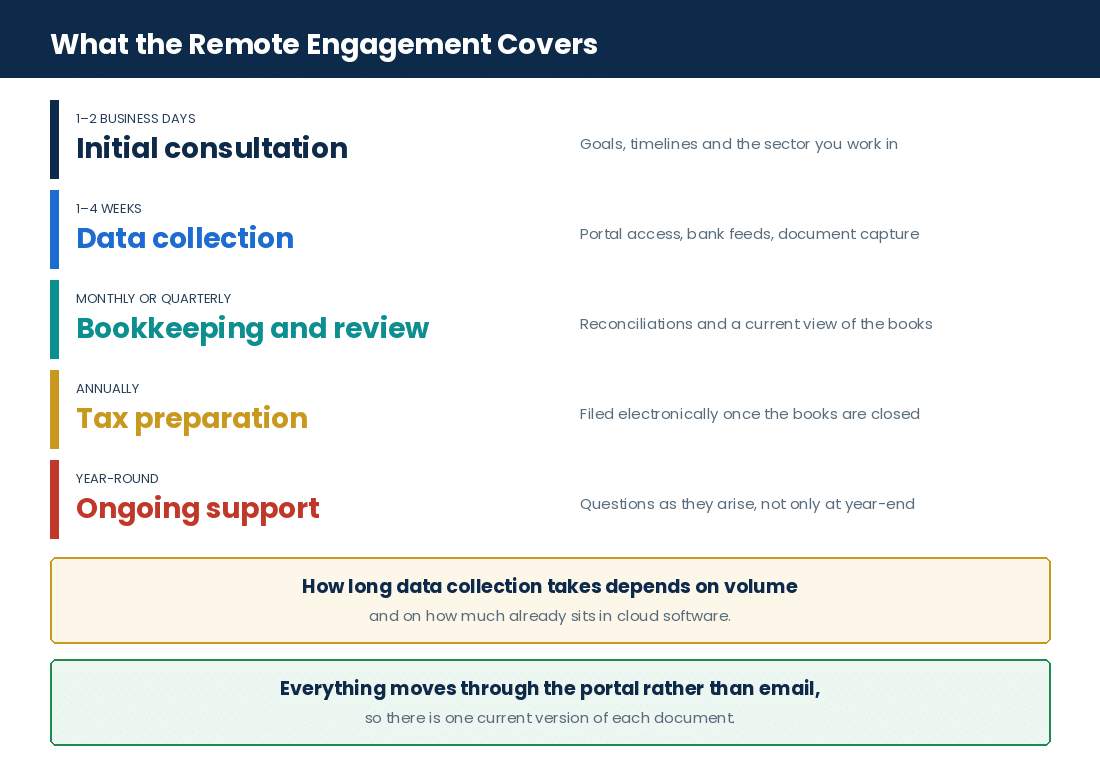
Initial Consultation: One to Two Business Days
We start with a free conversation to understand what the business needs. The point of it is to set specific goals, such as clearing a bookkeeping backlog or getting the T2 corporate return ready to file remotely, and to agree timelines and what the sector involved typically means for them. You leave the call knowing the scope and the fee.
Data Collection: One to Four Weeks
You share financial documents through a cloud portal that works with QuickBooks Online Accountant or Xero. In this stage:
- You gather bank statements, invoices and receipts and upload them.
- We check whether what arrived is complete.
- We ask for anything missing straight away, because waiting is what causes the delays remote engagements are known for.
How long this takes depends on transaction volume and how tidy the records already are. Those two variables account for almost all the difference between a one-week collection stage and a four-week one.
The Full Timeline, and What Delays Each Stage
| Phase | Typical Time | What Happens | What Slows It |
|---|---|---|---|
| Initial consultation | 1–2 business days | Meeting scheduled, needs assessed, engagement plan set | Scheduling conflicts; prepare your questions in advance |
| Data collection | 1–4 weeks | Documents gathered, completeness validated, files organised | Missing information |
| Bookkeeping and analysis | Monthly or quarterly | Transaction data provided, accounts reconciled, reports analysed, discrepancies identified | Late submissions delay the insight |
| Tax preparation | Annual | Corporate and GST/HST returns prepared, filed electronically, prior years reviewed, details confirmed | Incomplete records force revisions |
| Ongoing support | Year-round | Queries answered, advice given proactively, changes monitored, communication maintained | A silent client gets less out of it |
We follow these stages using tools such as Wagepoint for payroll and Hubdoc to capture documents automatically, which is what keeps the sequence moving without chasing.
What to Have Ready Before You Start
Getting the paperwork together before the engagement begins is the single thing a client can do that shortens it most. It also prevents the gaps that cause mistakes later when GST/HST returns or financial statements are being prepared.
- Bank statements. Monthly statements, so transactions can be checked against your records.
- Credit card statements. Clear records of business expenses paid by card.
- Income statements. Complete reports showing revenues and costs.
- Expense receipts. Everything that proves a deductible expense.
- Prior year tax returns. Last year’s corporate return, which feeds this year’s planning.
- Payroll summaries. Reports from a system such as Wagepoint or ADP, for checking salaries.
Organised records also make the conversation about managing cash flow a real one rather than a guess, which is the part owners across Toronto and Ontario usually want most.
Two clients onboarded in the same week last year, both incorporated contractors of about the same size. One uploaded eighteen months of statements, prior returns and payroll summaries within three days of the consultation. The other sent documents as he found them over nine weeks. The first file was reconciled and the return drafted in eleven days. The second took until the following quarter, and the delay cost him roughly $2,400 in extra bookkeeping time because transactions had to be revisited as context arrived. Same work, same software, same firm. The difference was entirely in the collection stage. Figures changed for privacy.
Remote Readiness Check
Five quick questions on how ready your records are to move online. No fee shown.
Points to raise with us:
This is a general prompt, not tax or legal advice or a quote. Your position depends on your full facts. For a real review, please book a free consultation.
The Software, the Portals, the Documents
The Tools
How Paper Turns Into a Ledger Entry Without Anyone Driving Anywhere
A remote engagement stands or falls on how documents get from you to us. In an office practice that problem is solved by a filing cabinet. Online it is solved by a portal, a set of connected feeds and a capture tool, and it is worth knowing which does what.
| Tool | What It Does | What Reaches Us Through It |
|---|---|---|
| Cloud portal | Secure upload and storage, shared between client and firm | Bank statements, prior returns, CRA letters, anything scanned |
| QuickBooks Online or Xero | Holds the ledger both sides can open at the same time | The books themselves, and the reports that come out of them |
| Automated bank feeds | Pulls transactions into the ledger without manual entry | Every bank and credit card transaction, daily |
| Hubdoc | Captures documents and reads them automatically | Receipts and supplier bills, attached to the entry they belong to |
| Wagepoint or ADP | Runs payroll and produces the summaries | Hours, salaries, remittance records, year-end slips |
| Sales platform exports | Imports order and settlement data | Shopify or Amazon sales, without re-keying them |
Digital onboarding is the part that gets underestimated. Setting up a portal, connecting the feeds and pointing the capture tool at the right accounts is a few hours of work at the start of an engagement, and it is what makes every month afterwards short.
Why Multi-User Access Changes the Work
In cloud software the owner, the accountant and anyone else authorised are in the same file at the same time. Nobody emails a backup. Nobody works from a copy that is three weeks old. When we ask about a transaction we can point at the entry rather than describe it, and when you want to know where cash stands you open the dashboard instead of asking.
That also removes the step where errors usually enter: re-typing. Transactions arrive from the bank feed, receipts arrive from the capture tool and sales arrive from the platform export, so manual entry is the exception rather than the method.
A restaurant group with three locations was emailing us supplier invoices as photo attachments, around 400 a month across the three. Matching them to entries by hand was the largest single line on their bookkeeping time. We moved them onto automatic document capture, with invoices forwarded to one address, and the manual matching dropped to the twenty or so that the tool could not read. Their monthly bookkeeping cost fell by roughly $700 and, more usefully, the month-end reports started arriving in the first week instead of the third. Figures changed for privacy.
What You Do and What We Do
The division of labour is the thing most new clients ask about, and it is simple enough to state as a list.
- You provide the source material. Bank and card statements, invoices, receipts, payroll information and anything CRA sends you.
- We set up the plumbing. Portal, bank feeds, document capture and the chart of accounts.
- You answer queries. Usually about transfers, personal items and anything the description does not explain.
- We do the accounting. Reconciliations, adjustments, statements, returns and the review behind all of them.
- You approve before anything is filed. Drafts go to you, and nothing goes to CRA until you have confirmed it.
- We handle the correspondence. Including CRA queries and audits, with authorisation in place.
An Etobicoke trucking operator with four owner-operators had been keeping mileage in a paper notebook and sending us a photograph of it each quarter. Roughly a quarter of the entries were illegible, and the fuel claims built on them were the weakest part of the file. We moved the logs into an app that exported straight into the expense reports. The first full year afterwards supported about $31,000 of vehicle expense that had previously been reduced to what the notebook could prove. Nothing about the entitlement changed. What changed was that the records could now stand behind it. Figures changed for privacy.
What a Month, a Quarter and a Year Look Like
The Rhythm
The Work That Repeats, and What Lands on Your Desk
Once onboarding is done the engagement settles into a cycle. Knowing the cycle is most of what makes a remote arrangement feel normal rather than distant.
Bookkeeping and Analysis: Monthly or Quarterly
Transactions are categorised in the cloud system on a regular cadence, which is what gives a real-time view of cash flow rather than a retrospective one. Monthly reconciliations stop backlogs forming. Quarterly reviews catch problems while they are still small. The effect is that finances get managed through the year instead of reconstructed at the end of it.
Tax Preparation: Annually
With the books current all year, the annual work is shorter than owners expect. We prepare the corporate income tax return (T2) following CRA’s rules, and the GST/HST filings show calculations consistent with provincial law. Filing is electronic. Where tax planning is part of the engagement it happens before the year closes, because afterwards most of the choices in the year are already made.
Ongoing Support: Through the Year
Support does not stop when tax season does. We advise on improving future tax positions as rules change for incorporated businesses, whether that is a construction contractor or a physician professional corporation operating under Ontario healthcare rules. Remote access is also what makes a fast response possible when an audit letter arrives or an opportunity does, and it is a large part of why owners choose a virtual arrangement over a practice tied to one address.
What You Actually Receive
| Deliverable | What It Is | When It Arrives | What You Provide |
|---|---|---|---|
| Financial statements | Balance sheet, income and cash flow reports for decisions and compliance | Monthly, quarterly or at year end, as agreed | Bank statements, transaction records, bookkeeping data |
| Corporate tax filing (T2) | The corporate return prepared and filed with CRA, with available credits and deductions checked | Annually, before the CRA deadline | Full financial records, and past filings if you have them |
| GST/HST return filing | Returns calculated and filed from sales and purchases | Quarterly or annually, per the CRA schedule | Sales invoices, purchase receipts |
| Payroll services | Pay runs processed remotely, CPP and EI remittances handled, year-end slips prepared | Bi-weekly or monthly, as scheduled | Hours worked, salaries and wages |
| Bookkeeping and reconciliation | Transactions recorded in cloud tools and matched against the bank | Weekly or monthly, depending on the agreement | Receipts, invoices, bank feeds |
| CRA representation and audit support | Support through a CRA audit, with the documents assembled and submitted properly | Annually, or whenever needed | CRA letters and documents |
| Business advisory reports | Strategic input on tax, cash flow and growth for your sector, in a virtual CFO role | Quarterly or semi-annual meetings and reports | Financial summaries and your goals |
Each of those fits Canadian requirements and each of them reaches you through the same portal the documents went up through.
A dental practice moved to us from an annual-only arrangement, where the books were handed over once a year in a box. We put them on monthly reconciliations instead. The first thing it surfaced was an equipment lease being coded as a purchase, which had been wrong for fourteen months and had overstated expenses by about $44,000 across two year ends. Under the annual model that error would have run until the next box arrived. The monthly cost of the new arrangement was higher. The correction, and not having to amend a filed return, paid for several years of it. Figures changed for privacy.
What Else Sits Inside the Engagement
- Multi-entity work. Several business units coordinated together, with multi-entity discounts available.
- Outsourced CFO services. Financial forecasts and cash flow forecasting for owners who want them.
- Job-costing complexity. Milestone billing reviews for sectors such as construction.
- Trust and estate returns. Handled alongside the business filings.
- Incorporation support. Including NUANS name search during incorporation consulting.
- Audit readiness. Supporting documents kept in a state where a CRA request can be answered.
- Cloud integration. Software connected so bookkeeping updates in real time.
- Corporate structure advice. Aimed at tax efficiency and at meeting compliance requirements.
- Penalty avoidance. Meeting CRA GST/HST guidelines strictly, which is how penalties are avoided rather than argued about.
- Cross-border expertise. For SaaS companies managing US and Canadian obligations together.
- Payroll integration. Aligned with CRA payroll standards.
- Payment scheduling. Arranged to ease small business cash flow.
- Digital document management. Which is what makes everything above reachable from anywhere.
- Compliance advice. Personalised to your touchpoints, which lowers the risk of reassessment or enforcement.
Security, Data Handling and What Drives the Fee
Risk & Cost
Where Your Records Live, and What the Engagement Costs
Two questions come up on almost every first call about remote delivery. Where does the data go, and what moves the price. Both have concrete answers.
How the Data Is Handled
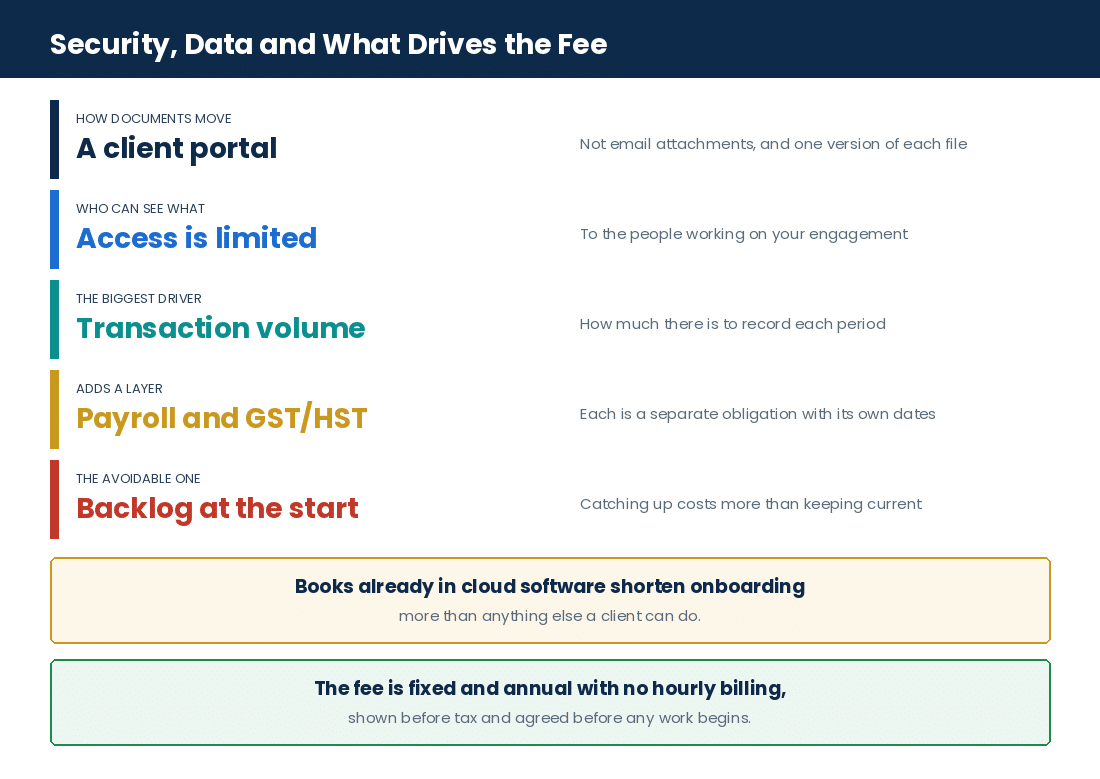
Financial documents are shared through secure cloud portals rather than as email attachments, which matters because an attachment sits in two mailboxes indefinitely and a portal upload sits in one controlled place. The ledger lives in the cloud software, not on a laptop, so there is no single machine whose failure loses the year. Access is granted to named users and can be withdrawn. CRA correspondence, prior returns and supporting documents stay in the same repository as the records they relate to, which is what makes an audit request answerable rather than a search.
The Risks a Remote Engagement Is Meant to Control
Missing a deadline or a detail costs penalties and stress. Knowing which failures are common makes them easier to avoid.
| Risk Area | What Happens If Missed | How It Is Controlled | Who Is Affected |
|---|---|---|---|
| Late tax filing | Penalties and interest charges | Filing reminders and planning ahead | Business owners; shareholders |
| Inaccurate bookkeeping | Wrong financial reports; deductions missed | Regular bank reconciliations and review | The business, lenders, investors |
| GST/HST compliance | Penalties, interest, or an audit | Sales and purchases tracked, remittance on time | The business; its customers |
| Payroll compliance | Penalties for late payment; unhappy employees | Payroll calculated correctly and filed on time | Employees and government |
| Missed credits or deductions | More tax paid than necessary | Claims reviewed regularly, with tax advice | Business owners and incorporated businesses |
Late corporate filings carry significant penalties, so reminders and early preparation do real work. Messy bookkeeping leads to misstated income or expenses, which can trigger an audit or cause tax to be overpaid, and regular transaction checks are the answer. GST/HST rules are intricate, and missed payments or errors bring fines plus interest, so tracking is set up to match Canadian requirements from the start. Payroll has to be right for CPP, EI and tax every pay period. Missed credits and deductions, such as research credits or capital cost allowance, mean paying more than you owe, and keeping files ready also means a CRA audit finds a complete record rather than a reconstruction. Confirm current rules against the CRA website or with a Registered professional, because they change.
A daycare operator was emailing payroll spreadsheets to her previous bookkeeper, and a version mix-up meant one pay period went out twice to four staff. Roughly $9,800 had to be recovered from employees over the following months, which is as awkward as it sounds. Moving payroll into a system with a single live record removed the possibility: there is one version, and it either ran or it did not. Nothing about the payroll calculation was ever wrong. The failure was entirely in how the file travelled. Figures changed for privacy.
What Drives the Fee
| Driver | What Raises It | What Keeps It Efficient | What to Ask a Firm |
|---|---|---|---|
| Business size and complexity | Higher revenue means more transactions; several companies add coordination; complex ownership needs detailed reports | Cloud systems kept organised; entities combined where possible; files digital and tidy | What size of client do you usually handle, and can you manage several companies at once? |
| Transaction volume | A high monthly count takes more time; several sales channels make reconciliation harder | Automated bank feeds connected to the software; invoices standardised to cut manual entry | How do you handle large transaction numbers, and what do you automate? |
| Data quality and cleanup | Messy accounts or missing documents take extra preparation | Records kept accurate day to day, which avoids catch-up work entirely | Do you fix backlogs, and is cleanup charged separately? |
| Depth of scope | Advisory and consulting beyond basic filing; more frequent reporting | Core services and extras agreed clearly at the outset | Is advisory included or billed on top? |
| Technology integration | Many apps mean more setup work | Fewer tools, simpler workflows | Are any tools included, and does integration affect the bill? |
| Turnaround requirements | Urgent work costs more | Planning ahead, which avoids rush work altogether | Can regular deadlines be agreed in advance? |
Our own fees are fixed and annual with no hourly billing, shown before tax with sales tax on its own line, and agreed before any work begins. Before signing an engagement letter with any firm, read how it handles refunds and fee comparisons; we publish both in full, in our 30-Day Money-Back Guarantee and our 60-Day Fee Matching Policy. The pricing calculation page sets out how the figure is arrived at.
Frequently Asked Questions
FAQs
Frequently Asked Questions on Virtual CPA Services in Ontario
What are the benefits of flat-fee pricing for virtual CPA services?+
Predictable cost. A flat fee removes surprise bills and lets an Ontario business budget its accounting expense as a known figure rather than an estimate. Our own fees are fixed and annual with no hourly billing, shown before tax with sales tax on its own line, and agreed before any work begins.
How does multi-user collaboration improve virtual accounting?+
Owner, accountant and any other authorised advisor are in the same financial data at the same time. Nobody is working from a copy. That speeds up decisions because the figures being discussed are current, and it reduces errors because there is no step where information is re-entered from one version into another.
Can virtual CPAs handle CRA representation during an audit?+
Yes. Registered CPAs provide CRA audit support and manage the correspondence from start to finish, which is work we do for clients. Remote delivery helps here rather than hindering: the documents CRA asks for are already in one repository, so assembling the response is a matter of retrieval. Note that supporting a client through a CRA audit is different work from performing an audit engagement; we refer audit and review engagements out.
Do virtual CPA services include proactive tax planning?+
Many firms offer it, and it is where remote delivery earns its keep, because planning needs current figures and cloud bookkeeping produces them continuously. The advice typically covers available credits, including research credits, and changes to corporate structure. Planning belongs before the year closes rather than after.
Are healthcare professionals supported by virtual CPA firms?+
Yes. Physician professional corporations are supported remotely, including compliance with OHIP billing rules and the specialised tax filings that come with a professional corporation. Clinic and hospital income is tracked through cloud bookkeeping, and the documents travel through the portal like anything else.
What payroll services are available remotely for Ontario small businesses?+
Payroll remittances, contractor payroll, WSIB payments and payroll source deductions, processed through software such as Wagepoint or ADP. You supply hours and salaries; the pay run, the remittances and the year-end slips come back. Because the record is live rather than a file passed back and forth, version problems do not arise.
Can virtual CPAs assist with multi-jurisdiction sales tax compliance?+
Yes. GST/HST filings across provinces are handled, and sales arriving from several platforms are brought together so the returns reflect all of them. Cloud systems are what make this practical, since rates and registrations are applied in one place rather than tracked by hand per channel.
Is digital onboarding part of virtual CPA service delivery?+
Yes, and it is the first thing that happens. Client setup runs through cloud document management tools such as Hubdoc, which speeds up data collection and keeps it secure. Setting up the portal, connecting the bank feeds and pointing the capture tool at the right accounts takes a few hours once, and shortens every month afterwards.
How long does it take before a remote engagement is running normally?+
The consultation takes one to two business days to arrange and hold. Data collection runs one to four weeks, and that range is driven by transaction volume and how organised the records already are, not by anything about remote delivery. Once collection is complete the work settles into monthly or quarterly bookkeeping with annual tax preparation.
What do I have to do myself in a virtual engagement?+
Supply the source material and answer queries. Bank and credit card statements, invoices, receipts, payroll information and prior returns go up through the portal; questions about transfers and personal items come back to you and need answering; and drafts are approved by you before anything is filed. Everything between those points is ours.
Essential Points for Business Owners
Key Takeaways
What Decides How Well a Remote Engagement Runs
The accounting is the same whoever delivers it. What varies in a virtual arrangement is how documents travel, how quickly questions get answered, and whether the plumbing was set up properly at the start.
| Point | How It Works | Who Does It |
|---|---|---|
| Initial consultation | One to two business days, held remotely, scope and fee agreed | Both |
| Data collection | One to four weeks, documents uploaded to a cloud portal | You upload, we validate |
| Where the ledger lives | Cloud software such as QuickBooks Online or Xero, open to both sides | Us, visible to you |
| How transactions arrive | Automated bank feeds rather than manual entry | Set up once by us |
| How receipts arrive | Document capture through Hubdoc, attached to the entry | You forward, the tool reads |
| How payroll runs | Wagepoint or ADP, with remittances and year-end slips | You supply hours, we run it |
| Bookkeeping cadence | Monthly reconciliations, quarterly review | Us |
| Tax preparation | Annual, prepared from current books and filed electronically | Us, approved by you |
| GST/HST filing | Quarterly or annually on the CRA schedule | Us |
| Communication | Email and video call, with a one business day response standard | Both |
| CRA correspondence | Handled with authorisation in place, audit support included | Us |
| Fees | Fixed and annual, no hourly billing, shown before tax | Agreed before work starts |
The Six Things We Check First
- What software are the books in now? Desktop, cloud, spreadsheet or nothing. The answer changes the first fortnight of work entirely.
- Can the bank feeds be connected? If they can, manual entry mostly disappears. If they cannot, the volume question becomes a cost question.
- How many sales channels are there? Each one is a separate import and a separate reconciliation.
- Is payroll already in a system? Moving it is straightforward. Running it off a spreadsheet is where version errors live.
- How far behind are the records? Catch-up work and ongoing work are priced differently and sequenced differently.
- Has CRA written? Anything with a date on it sets the order of everything else.
Our Approach
Gondaliya CPA holds the consultation remotely and agrees the scope and the fee before anything starts; sets up the portal, the bank feeds and the document capture at the outset so the monthly work is short; keeps the ledger in cloud software you can open at any time; reconciles monthly and reviews quarterly rather than waiting for year end; prepares the corporate and GST/HST returns from current books and files them electronically once you have approved the drafts; runs payroll through Wagepoint or ADP with the remittances and year-end slips; answers within one business day; and handles CRA correspondence and corporate tax return filing with authorisation in place. Fees are fixed and annual with no hourly billing, shown before tax with sales tax on its own line, and agreed before any work begins.
Industry Spotlights: Sectors We Represent
Industry Expertise
Every sector sends us a different kind of document. Here are eleven, and how the records actually reach us in each.
| Industry | How the Documents and Data Reach Us |
|---|---|
| Technology startups & SaaS | Cloud dashboards synced from the ledger, with research credit documentation uploaded as it is generated |
| E-commerce & online retailers | Shopify and Amazon settlement data imported automatically, with inventory counts at year end |
| Consulting firms | Bank feed plus uploaded client invoices, with the personal and business split resolved by query |
| Construction, contractors & skilled trades | Digital invoicing feeding the ledger, with WSIB and payroll data from the payroll system |
| Property developers & builders | Construction software exports reviewed against the ledger, with sales tax input credits tracked by phase |
| Real estate investors & holding companies | Rent receipts from every property consolidated in one cloud file, with closing documents uploaded |
| Transportation, logistics & trucking | Mileage logs exported into expense reports, with per-contract owner-operator payroll data |
| Restaurants & food and beverage | Supplier bills captured digitally and matched against point-of-sale totals |
| Daycare, childcare & CWELCC services | Subsidy and fee records in cloud bookkeeping, with funder reports built from the same data |
| Dentists & dental practices | Patient billing summaries uploaded remotely, with equipment invoices captured on purchase |
| Medical doctors & physician corporations | Clinic and hospital remittance statements uploaded, with CRA forms prepared from them |
- Technology startups & SaaS: Real-time cloud dashboards sync from QuickBooks or Xero, so advice on research credits and on cross-border obligations is given against current figures rather than last quarter’s.
- E-commerce & online retailers: Sales import automatically from the platforms, which removes the re-keying where errors normally enter, and GST/HST across provinces is applied in the cloud system rather than channel by channel.
- Consulting firms: The bank feed carries almost everything, and the remaining work is a short list of queries about which transactions were personal, answered by email.
- Construction, contractors & skilled trades: Digital invoicing links straight into the bookkeeping from any site in Ontario, and WSIB remittances are monitored alongside payroll taxes without an office visit.
- Property developers & builders: Construction software data is exported for CPA review rather than re-entered, and sales tax input credits are tracked through the building phases as the invoices arrive.
- Real estate investors & holding companies: Rent from every property lands in one cloud ledger, so the consolidated position exists continuously and the records sit ready if CRA asks about a year.
- Transportation, logistics & trucking: Cloud mileage logs export into the expense reports for remote review, and payroll follows each owner-operator contract, which keeps the reconciliations ahead of the sales tax deadlines.
- Restaurants & food and beverage: Supplier bills are captured digitally and matched to point-of-sale numbers, and payroll for variable hours is processed offsite, which is what frees the owner from the daily paperwork.
- Daycare, childcare & CWELCC services: Cloud bookkeeping tracks subsidies and parent fees in the same place, so the reports funding bodies require are produced from the records rather than rebuilt for them.
- Dentists & dental practices: Patient billing is bookkept remotely and equipment invoices are captured when bought, which is what makes the cash flow check ahead of a purchase worth anything.
- Medical doctors & physician corporations: Clinic and hospital remittance statements are uploaded through the portal, and the CRA forms specific to medical practice are prepared from them without the corporation sending anything on paper.
A property developer was sending us monthly PDF exports from his construction cost software, which someone here then typed into the ledger. Across a year that was about forty hours of transcription and, inevitably, a handful of transposed figures that had to be found again at year end. We set up a direct export instead. The transcription went to nil, the sales tax input credits by phase started tying out on the first pass, and his annual fee fell by roughly $3,600. The data had always been there. It had just been travelling as a picture of itself. Figures changed for privacy.
Professional Guidance and Quick Reference
Guidance
Essential Points for Ontario and Canadian Businesses
Remote engagements go wrong in a predictable set of ways: documents sent as email attachments instead of portal uploads, so nobody knows which version is current; bank feeds never connected, so transaction volume turns into billable hours; payroll run off a spreadsheet, which is where duplicate pay runs come from; sales channels reconciled by hand one at a time; receipts arriving months after the transactions they explain; and queries left unanswered, which stops the month closing. Gondaliya CPA sets the plumbing up at the outset and reconciles monthly rather than at year end.
Quick Answers
At a Glance
- What it is: accounting, tax and advisory work delivered online
- Who it is for: incorporated small and medium businesses in Ontario and across Canada
- Initial consultation: one to two business days, free
- Data collection: one to four weeks
- What sets that range: transaction volume and how tidy the records are
- Bookkeeping cadence: monthly reconciliations, quarterly review
- Tax preparation: annual, filed electronically
- GST/HST filing: quarterly or annually on the CRA schedule
- Payroll: bi-weekly or monthly, as scheduled
- Ledger software: QuickBooks Online or Xero
- Document capture: Hubdoc
- Payroll software: Wagepoint or ADP
- Transaction entry: automated bank feeds, not manual keying
- Sales platforms: Shopify and Amazon data imported directly
- Document exchange: secure cloud portal, not email attachments
- Multi-user access: owner and accountant in the same live file
- Communication: email and video call
- Response standard: one business day
- What you provide: statements, invoices, receipts, payroll data, prior returns
- What we provide: reconciliations, statements, returns, remittances, review
- Approval: drafts confirmed by you before anything is filed
- CRA audits: support and representation, with authorisation in place
- Not usually included: personal tax returns, unless specifically agreed
- Also not included: legal advice, or investment advice beyond business planning
- Assurance level: compilation engagements under CSRS 4200, which provide no assurance
- Fees: fixed and annual, no hourly billing, shown before tax
- Sales tax on fees: shown on its own line
- Firm status: Registered Ontario CPA Firm since 2013
- Where we work: Toronto and across Ontario, and with corporations across Canada
Who This Is For / Not For
Fit Check
- For: small and medium companies in Ontario that want affordable accounting help, and businesses that prefer flexible financial management without being tied to a location.
- For: firms that need regular tax help or ongoing bookkeeping rather than a single annual hand-off.
- Not for: large companies that need frequent face-to-face meetings, or complex audits requiring physical presence.
- Not for: organisations uncomfortable with digital tools, or that prefer to keep working in traditional ways.
People Also Ask
Related Questions
How do I get documents to an accountant I never meet?+
Through a cloud portal, which is an upload page tied to your file. Bank and credit card statements, prior returns and anything CRA sends go up there. Receipts and supplier bills go through a capture tool instead, which reads them and attaches them to the right entry. Bank transactions do not get sent at all: a feed brings them in daily once it is connected. Email attachments are the method we try hardest to replace, because two mailboxes holding different versions of the same document is how month ends go wrong.
What happens if my books are in a desktop program or a spreadsheet?+
They get moved into cloud software at the start of the engagement, and that migration is the bulk of the first fortnight. A desktop file converts reasonably well. A spreadsheet is really a rebuild, because there are no reconciliations behind it to carry over. Either way it is one-off work, and it is worth agreeing at the consultation whether it sits inside the fee or beside it.
Who answers if I have a question on a Tuesday afternoon?+
You email or book a call, and the standard is a response within one business day. In practice most queries are about a transaction, and because both sides can open the same ledger the answer is usually a matter of looking at the entry together rather than describing it. Scheduled quarterly reviews cover the larger questions, so the ad hoc traffic stays short.
Do I still need to keep paper receipts?+
Keep whatever the record-keeping rules require, and check the current position with CRA because it changes. What changes in a remote engagement is that the captured copy is the working document: it is attached to the ledger entry, searchable, and retrievable if CRA asks. The shoebox stops being the system and becomes a backup, which is the right order.
Can a remote firm handle a CRA audit as well as a local one?+
In our experience better, because the documents are already in one place. A CRA request for a year’s supporting records is answered by retrieval rather than by a search through storage, and the correspondence is handled with authorisation already in place. Supporting a client through a CRA audit is our work; performing an audit engagement is not, and we refer those out.
Glossary of Key Terms
Definitions
- Virtual CPA services: accounting, tax and advisory work delivered to a client remotely.
- Cloud portal: the secure page documents are uploaded to and stored in.
- Cloud accounting software: a ledger held online, such as QuickBooks Online or Xero.
- Bank feed: an automatic daily import of bank and card transactions into the ledger.
- Document capture: a tool that reads a receipt or bill and attaches it to an entry.
- Reconciliation: matching the ledger against the bank statement so the two agree.
- Digital onboarding: setting up portal, feeds and capture tools at the start of an engagement.
- Multi-user access: owner and accountant working in one live file at the same time.
- Corporate tax filing: the corporation’s annual return, prepared and filed with CRA.
- GST/HST return: the sales tax return, filed quarterly or annually on the CRA schedule.
- Payroll source deductions: the amounts withheld from pay and remitted to CRA.
- CRA representation: dealing with CRA on a client’s behalf, including through an audit.
- Compilation engagement: financial statements prepared under CSRS 4200, providing no assurance.
- Virtual CFO: advisory work on forecasting, cash flow and growth, delivered remotely.
Want a checklist to work from? You can download our free virtual onboarding checklist before your consultation.
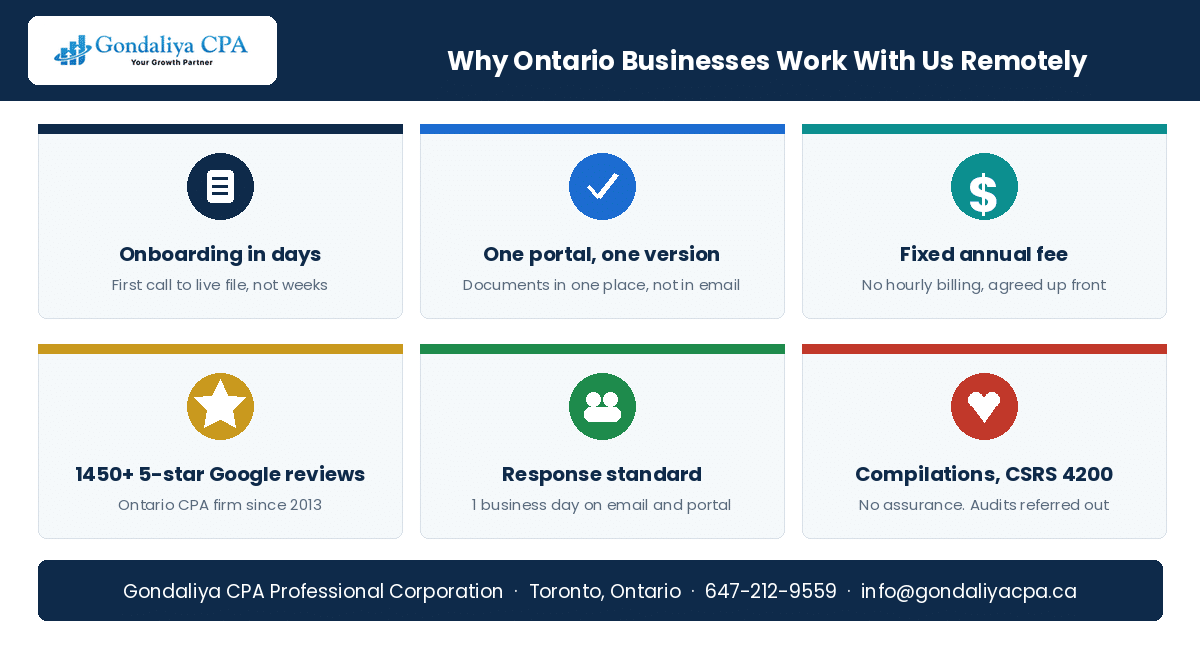
Four things decide how a remote engagement actually feels. Whether the plumbing gets set up at the start — portal, bank feeds and document capture are a few hours of work once, and they are the difference between a short month end and a long one. Whether the documents travel properly — a portal upload sits in one controlled place, an email attachment sits in two mailboxes and nobody can say which version is current. Whether queries get answered — the collection stage runs one to four weeks, and the variable is transaction volume and how tidy the records are, not anything about distance. And whether the cadence is monthly rather than annual — reconciling through the year surfaces an error while it is still one month old, which is the only version of that problem that is cheap to fix.
Three questions settle how your onboarding will go, and none of them needs an accountant to answer. First, where are the books right now? Cloud software, a desktop program, a spreadsheet or nowhere — the answer sets the whole first fortnight. Second, can your bank and your sales platforms export directly? If they can, manual entry mostly disappears; if they cannot, volume becomes the cost driver. Third, how much of the last year can you upload this week? That number, more than anything else, decides whether collection takes one week or four.
Virtual CPA Services: How Gondaliya CPA Can Help
Set the plumbing up once, then it runs
Gondaliya CPA holds a free consultation remotely within one to two business days, agrees the scope and a fixed fee, and sets up the secure portal, the bank feeds and the document capture before any bookkeeping starts. We move your ledger into cloud software you can open at any time, reconcile monthly and review quarterly, run payroll through Wagepoint or ADP with the remittances and year-end slips, prepare financial statements under a compilation engagement, prepare the corporate and GST/HST returns from current books and file them electronically once you have approved the drafts, and handle CRA correspondence and audit support with authorisation in place. Fees are fixed and annual with no hourly billing, shown before tax with sales tax on its own line, and agreed before any work begins. Please book a free consultation.
Next Steps
Please book a free consultation with Gondaliya CPA and have three things to hand: whatever accounting software or spreadsheet the books are in now, the bank and credit card accounts the business uses, and your most recent corporate tax return. We will tell you on that call what the migration involves, how long collection is likely to take for your transaction volume, and what the fixed annual fee is. If CRA has written to you, say so at the outset, because anything with a date on it sets the order of everything else — and supporting clients through a CRA audit is work we do. If several sales channels or a second corporation are involved, mention those too; both change the setup rather than the price of a surprise later. We perform compilation engagements under CSRS 4200, which provide no assurance, and we refer audit and review engagements out. You will get a fixed annual fee, shown before tax, agreed before any work begins. We serve Toronto, Mississauga, Brampton, Vaughan, Etobicoke, Scarborough, Hamilton, Ottawa and the rest of Ontario, and work with corporations across Canada, which is the practical point of delivering it all online. If our content helps, please add gondaliyacpa.ca as a preferred source on Google.
Published: · Last updated:
Editorial policy: We research against the Income Tax Act, the Income Tax Regulations, CRA guidance and information circulars, Department of Finance announcements, CPA Canada Handbook standards and CPA Ontario sources, fact-check the figures, and Sharad Gondaliya, CPA, reviews the content, which we update as the rules change.
Disclaimer: This article is educational information only and is not tax, legal or accounting advice. It covers how virtual CPA services are delivered to incorporated small and medium businesses in Toronto, Ontario and across Canada, including what remote accounting is and how it differs from an office practice, the services a remote engagement usually includes and excludes, the decision points at which businesses engage one, onboarding from consultation through data collection, the cloud software and portals the work runs on, how documents and payroll data reach a remote accountant, the monthly, quarterly and annual rhythm of the work, the deliverables produced, the division of responsibility between client and firm, security and data handling, the compliance risks involved, and what drives the fee. It does not cover personal tax returns unless specifically agreed, legal advice, investment advice beyond ordinary business planning, or the computation of any particular tax. Rates, thresholds, forms, software features and statutory references change, and every reference should be confirmed against current CRA guidance and the current Income Tax Act. Gondaliya CPA performs compilation engagements under CSRS 4200, which provide no assurance, and does not perform audit or review engagements; supporting clients through a CRA audit is separate work that we do perform. Please consult a licensed CPA before acting.

Sharad Gondaliya is a CPA Canada & CPA USA with 15 Years+ experience of Accounting, Tax, Payroll of Corporate Small Businesses as Tax Accountant. He is a CPA Ontario member (61040184) and holds US CPA licences in Washington and Montana and is well known among corporate small businesses for tax planning, efficient tax solutions, and affordable CPA services. Sharad is the Principal (Director) of Gondaliya CPA – Affordable CPA Firm in Canada. Licenses: CPA Ontario: 61040184 | CPA USA (MT): PAC-CPAP-LIC-033176 | CPA USA (WA): 57629 | CPA Firm License: 61330051 View Full Author Bio